
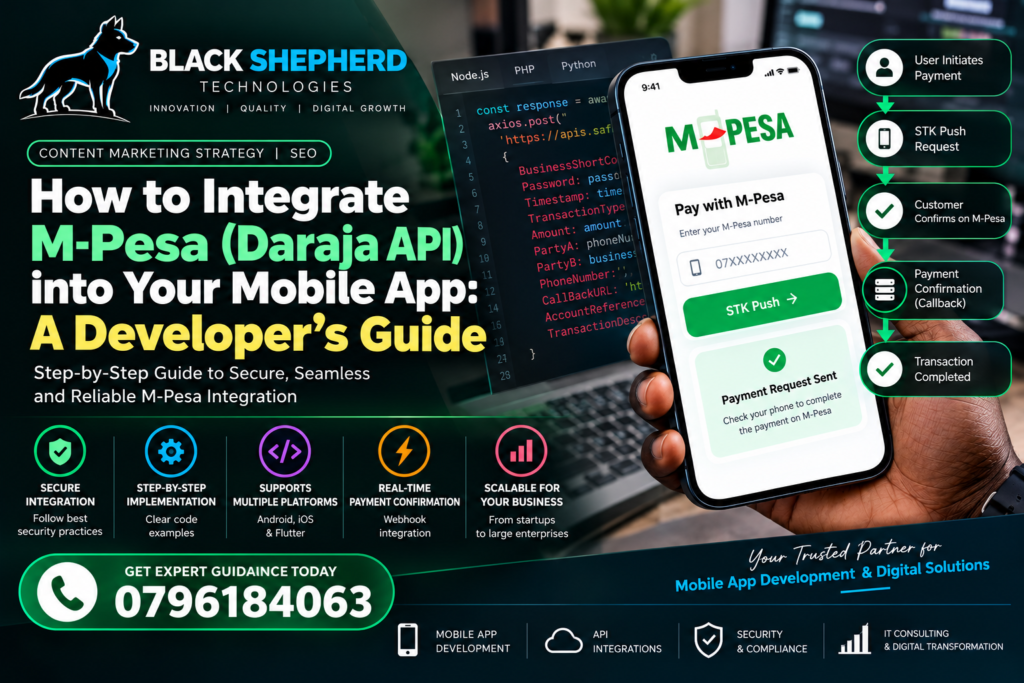
For any mobile application targeting the East African market—whether it’s an e-commerce marketplace, a fintech utility, a logistics service, or a subscription platform—smooth payment processing is the ultimate make-or-break feature. In Kenya, mobile money is not merely an alternative payment method; it is the absolute backbone of digital commerce. Safaricom’s M-Pesa commands over 90% of the mobile money market share, processing billions of shillings daily across millions of active transactions.
If your mobile application cannot seamlessly trigger an STK Push, process B2C payouts, or reconcile transactions in real-time, your users will abandon their carts or service requests instantly. Integrating the M-Pesa Daraja API is therefore a non-negotiable engineering milestone for serious digital products operating in this region.
At Black Shepherd Technologies, we build high-performance software and mobile solutions engineered for the East African economic ecosystem. If you are scaling your digital infrastructure or require expert custom engineering, explore our professional engineering portfolio and projects to see our work in action.
In this comprehensive, developer-focused guide, we will walk you through the end-to-end architecture, security protocols, step-by-step API integration, and error-handling strategies required to build a rock-solid M-Pesa payment gateway into your Android, iOS, or cross-platform mobile app.
1. Understanding the Daraja API Architecture
Before writing a single line of code, you must understand how Safaricom’s Daraja API communicates with your application stack. Daraja (Swahili for “bridge”) is a developer portal and API suite provided by Safaricom that bridges your application with the core M-Pesa system.
The Mobile App to Backend Bridge Pattern
A common security mistake junior developers make is attempting to connect the mobile application (frontend) directly to the Daraja API. Never expose your Consumer Secret or Passkey inside your mobile app code (whether in Flutter, React Native, Swift, or Kotlin). Decompiling an APK or IPA file makes hardcoded secrets instantly accessible to malicious actors.
Instead, follow a secure three-tier architecture:
-
The Mobile Frontend (Client): Initiates a payment request (e.g., user enters their phone number and taps “Pay Now”).
-
Your Application Backend (Server): Receives the request from the mobile app, securely appends your Daraja credentials (Consumer Key, Secret, and Passkey), generates the security credentials/timestamps, and communicates with Safaricom’s servers.
-
Safaricom Daraja Gateway: Processes the request, triggers the STK Push prompt on the customer’s phone, and returns an asynchronous callback to your backend server.
For businesses looking to optimize their software architecture or integrate enterprise-grade payment workflows across various sectors, our specialized industries we serve page highlights how we tailor payment systems for retail, logistics, hospitality, and fintech.
2. Setting Up Your Safaricom Developer Account
To begin development, you need access to the Daraja Developer Portal.
-
Register an Account: Head over to
developer.safaricom.co.keand create a developer account using your corporate or developer email. -
Create an App: Once logged into your dashboard, click on “Add a New App”. Give your application a name and select the APIs you want to test (specifically, Lipwa Na M-Pesa Online / STK Push).
-
Retrieve Credentials: Upon app creation, Safaricom generates a Consumer Key and a Consumer Secret. These two strings are used to authenticate your server with Daraja and generate OAuth access tokens.
-
Sandbox Environment: Safaricom provides a Sandbox environment pre-configured with test shortcodes, test MSISDNs (phone numbers), and test PINs. Always build, test, and debug your integration thoroughly in the Sandbox before requesting production Go-Live credentials.
3. Step 1: Generating the OAuth Access Token
Every request sent to the Daraja API requires a Bearer token. This token authenticates your server and expires typically after 1 hour (3600 seconds).
Backend Implementation (Node.js / Express Example)
Your backend must first request an access token from Safaricom’s authentication endpoint using basic authentication (Base64 encoding of your Consumer Key and Consumer Secret).
JavaScript
const axios = require('axios');

const getAccessToken = async (req, res, next) => {
    const consumerKey = process.env.SAF_CONSUMER_KEY;
    const consumerSecret = process.env.SAF_CONSUMER_SECRET;

    // Combine and convert to Base64
    const buffer = Buffer.from(`${consumerKey}:${consumerSecret}`);
    const auth = buffer.toString('base64');

    try {
        const response = await axios.get(
            'https://sandbox.safaricom.co.ke/oauth/v1/generate?grant_type=client_credentials',
            {
                headers: {
                    Authorization: `Basic ${auth}`
                }
            }
        );
        req.token = response.data.access_token;
        next();
    } catch (error) {
        console.error('Error generating M-Pesa access token:', error.response?.data || error.message);
        res.status(500).json({ error: 'Failed to authenticate with payment gateway' });
    }
};
4. Step 2: Constructing the STK Push Request (Lipa Na M-Pesa Online)
Lipa Na M-Pesa Online (STK Push) is the most popular payment method in Kenya. When triggered, it pops up a USSD-like prompt directly on the user’s mobile screen asking them to enter their M-Pesa PIN to authorize payment.
Crafting the Password and Timestamp
To initiate an STK Push, you must generate a dynamic password by concatenating your Business Shortcode, Passkey, and Timestamp, and encoding that string in Base64.
-
Timestamp Format:
YYYYMMDDHHmmss(e.g.,20261013143000) -
Password Formula:
Base64.encode(Shortcode + Passkey + Timestamp)
Backend Endpoint for STK Push Initiation
JavaScript
const initiateSTKPush = async (req, res) => {
    const { phone, amount, accountReference, transactionDesc } = req.body;
    const accessToken = req.token;

    const shortCode = process.env.SAF_SHORTCODE; // e.g., 174379 (Sandbox test shortcode)
    const passkey = process.env.SAF_PASSKEY;

    // Generate timestamp
    const date = new Date();
    const timestamp =
        date.getFullYear().toString() +
        String(date.getMonth() + 1).padStart(2, '0') +
        String(date.getDate()).padStart(2, '0') +
        String(date.getHours()).padStart(2, '0') +
        String(date.getMinutes()).padStart(2, '0') +
        String(date.getSeconds()).padStart(2, '0');

    const password = Buffer.from(`${shortCode}${passkey}${timestamp}`).toString('base64');

    // Format phone number to 2547XXXXXXXX
    const formattedPhone = phone.startsWith('0') ? `254${phone.slice(1)}` : phone;

    try {
        const response = await axios.post(
            'https://sandbox.safaricom.co.ke/mpesa/stkpush/v1/processrequest',
            {
                BusinessShortCode: shortCode,
                Password: password,
                Timestamp: timestamp,
                TransactionType: 'CustomerPayBillOnline',
                Amount: amount,
                PartyA: formattedPhone,
                PartyB: shortCode,
                PhoneNumber: formattedPhone,
                CallBackURL: 'https://yourdomain.com/api/v1/mpesa/callback',
                AccountReference: accountReference,
                TransactionDesc: transactionDesc
            },
            {
                headers: {
                    Authorization: `Bearer ${accessToken}`
                }
            }
        );

        res.status(200).json({
            success: true,
            message: 'STK push initiated successfully',
            data: response.data
        });
    } catch (error) {
        console.error('STK Push Error:', error.response?.data || error.message);
        res.status(400).json({
            success: false,
            error: error.response?.data || 'Failed to initiate STK push'
        });
    }
};
5. Step 3: Handling Callbacks and Transaction Reconciliation
When the user enters their PIN on their phone, Safaricom processes the transaction and sends an asynchronous HTTP POST request to your
CallBackURL. This callback contains the definitive status of the transaction (whether it succeeded, failed, or was cancelled by the user).Sample Callback JSON Payload from Safaricom
JSON
{
  "Body": {
    "stkCallback": {
      "MerchantRequestID": "29115-34620561-1",
      "CheckoutRequestID": "ws_CO_191220191020363925",
      "ResultCode": 0,
      "ResultDesc": "The service request is processed successfully.",
      "CallbackMetadata": {
        "Item": [
          { "Name": "Amount", "Value": 100.00 },
          { "Name": "MpesaReceiptNumber", "Value": "NLJ7RT61SV" },
          { "Name": "Balance" },
          { "Name": "TransactionDate", "Value": 20191219102100 },
          { "Name": "PhoneNumber", "Value": 254712345678 }
        ]
      }
    }
  }
}
Backend Callback Listener and Database Update
Your server must listen for this callback, parse the
ResultCode, and update your database records accordingly. If ResultCode is 0, the payment is successful; extract the MpesaReceiptNumber and fulfill the order.JavaScript
const handleMpesaCallback = async (req, res) => {
    try {
        const callbackData = req.body.Body.stkCallback;
        const merchantRequestId = callbackData.MerchantRequestID;
        const checkoutRequestId = callbackData.CheckoutRequestID;
        const resultCode = callbackData.ResultCode;
        const resultDesc = callbackData.ResultDesc;

        if (resultCode === 0) {
            // Transaction Successful
            const metadataItems = callbackData.CallbackMetadata.Item;
            const amount = metadataItems.find(item => item.Name === 'Amount').Value;
            const mpesaReceiptNumber = metadataItems.find(item => item.Name === 'MpesaReceiptNumber').Value;
            const phoneNumber = metadataItems.find(item => item.Name === 'PhoneNumber').Value;
            const transactionDate = metadataItems.find(item => item.Name === 'TransactionDate').Value;

            // TODO: Update your database (e.g., mark order as Paid, generate receipt)
            console.log(`Payment successful for Receipt: ${mpesaReceiptNumber}, Amount: ${amount}`);
        } else {
            // Transaction Failed or Cancelled by User
            console.log(`Payment failed: ${resultDesc}`);
            // TODO: Update order status as Cancelled/Failed in database
        }

        // Always acknowledge receipt of callback to Safaricom
        res.status(200).json({ ResultCode: 0, ResultDesc: 'Accepted' });
    } catch (error) {
        console.error('Error handling callback:', error);
        res.status(500).json({ ResultCode: 1, ResultDesc: 'Failed to process callback' });
    }
};
6. Integrating the Frontend Mobile App Experience
Now that your backend is ready, let’s look at how your mobile app (built with Flutter or React Native) interacts with your backend API.
Flutter Implementation Example
Dart
import 'dart:convert';
import 'package:http/http.dart' as http;

Future<void> triggerMpesaPayment(String phone, double amount) async {
  final url = Uri.parse('https://api.yourdomain.com/api/v1/mpesa/stk-push');

  try {
    final response = await http.post(
      url,
      headers: {'Content-Type': 'application/json'},
      body: jsonEncode({
        'phone': phone,
        'amount': amount,
        'accountReference': 'Order #1024',
        'transactionDesc': 'Payment for digital services',
      }),
    );

    if (response.statusCode == 200) {
      // Prompt user to check phone for STK popup
      print('STK Push sent successfully. Check your phone.');
    } else {
      print('Failed to initiate payment.');
    }
  } catch (e) {
    print('Network error: $e');
  }
}
Best Practices for Mobile UX
-
Clear Loading States: Once the user taps “Pay”, display a full-screen loader stating: “Please check your phone for the M-Pesa prompt and enter your PIN.”
-
Polling vs. WebSockets: Because callbacks are asynchronous, your mobile app should either poll your backend status endpoint every 3–5 seconds or establish a WebSocket connection to instantly update the UI once the payment confirmation hits your database.
-
Input Validation: Ensure phone numbers are validated before submission. Support formats starting with
07...,01..., or+254...and format them cleanly on your backend.
7. Common Pitfalls and Troubleshooting
Even experienced developers encounter specific roadblocks when dealing with Daraja. Here is how to avoid them:
-
Callback URL Accessibility: Your
CallBackURLmust be publicly accessible via HTTPS. Safaricom’s servers cannot reachlocalhostor local development IPs (192.168.x.x). During development, use tunneling tools like ngrok (ngrok http 3000) to expose your local server. -
SSL Certificate Validity: Safaricom strictly requires a valid SSL certificate on your production callback server. Self-signed certificates will cause callback delivery failures.
-
IP Whitelisting (Production): When moving from Sandbox to Production, ensure your server’s static IP address is properly whitelisted on the Daraja portal if required by your corporate shortcode configuration.
-
Timeouts and Network Latency: Mobile networks can occasionally experience slight delays. Ensure your mobile app handles loading states gracefully for up to 30 seconds.
8. Scaling Your Software with Professional Expertise
Integrating M-Pesa is just the beginning of building a world-class digital product for the East African market. Whether you are scaling an existing platform or building a disruptive fintech application from scratch, having the right technical partner ensures your system is secure, scalable, and optimized for maximum conversion.
If your organization requires comprehensive technical architecture, custom software development, or enterprise-grade SEO services in Kenya to drive high-value traffic to your platform, Black Shepherd Technologies is your trusted partner.
Get in touch with our engineering team today to discuss how we can accelerate your digital roadmap.