
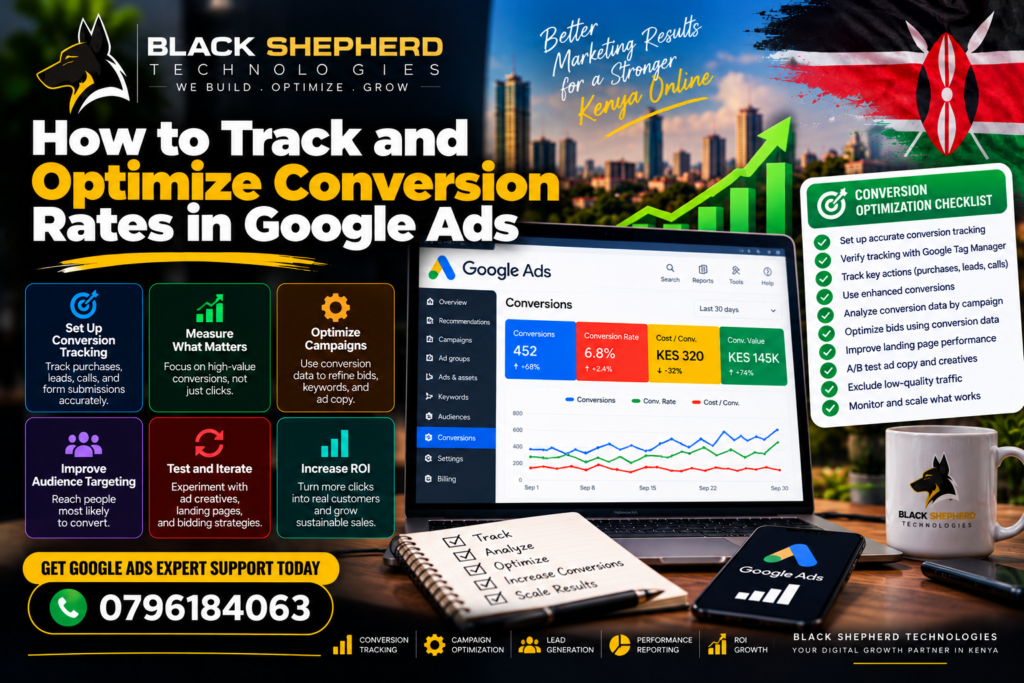
Driving clicks to your website is only half the battle in paid search. If those clicks do not turn into qualified leads, phone calls, or direct sales, your advertising budget is leaking revenue.
Optimizing your Google Ads Conversion Rate (CVR) requires a two-part approach: clean, accurate tracking infrastructure to feed Google’s Smart Bidding algorithms, followed by frictionless user experiences across your ad copy, landing pages, and conversion funnels.
Part 1: Setting Up Bulletproof Conversion Tracking
Before optimizing conversion rates, you must ensure that your conversion data is 100% accurate. Garbage data fed into Google Ads will cause Smart Bidding algorithms to optimize for the wrong actions.
Data Processing Pipeline
 [ User Action: Purchase / Lead Form ] ──► [ Google Tag Manager / Enhanced Conversions ]
                                                             │
 [ Optimized Bidding Models ] ◄── [ Primary Conversion Signal (GSC / CRM) ] ◄──┘
1. Distinguish Between Primary and Secondary Conversions
A common mistake is marking every minor user interaction as a primary conversion.
-
Primary Conversions (Bidding Signals): Set high-intent, revenue-generating actions—such as completed e-commerce purchases or qualified lead form submissions—as Primary. Smart Bidding (Target CPA / Target ROAS) uses only primary conversions to adjust bids in real time.
-
Secondary Conversions (Diagnostic Signals): Keep low-intent actions—such as newsletter sign-ups, PDF downloads, or page visits—as Secondary. They remain visible in your diagnostic reports without polluting automated bidding models.
2. Implement Enhanced Conversions for Web
With modern privacy regulations and third-party cookie restrictions, browser tracking alone leaves attribution gaps. Enhanced Conversions securely sends hashed first-party customer data (e.g., email address, phone number, name) from your conversion forms directly to Google. This recovers lost conversions and improves overall attribution accuracy.
3. Deploy Server-Side Tagging via Google Tag Manager (GTM)
Relying solely on client-side JavaScript tags exposes your tracking to ad blockers and slow script loading. Deploying Google Ads conversion tags through Google Tag Manager using server-side containers creates a faster, more reliable data pipeline.
4. Close the Loop with Offline Conversion Tracking (OCT)
For B2B and lead-generation businesses, a submitted form does not equal a closed sale. Connect your CRM (e.g., HubSpot, Salesforce, or custom databases) back to Google Ads via Enhanced Conversions for Leads. By uploading offline conversion stages (e.g., Sales Qualified Lead or Closed Deal), Smart Bidding shifts focus from generating cheap, low-quality leads to driving actual revenue.
Part 2: Optimizing Your Campaigns for Maximum Conversions
Once accurate tracking is active, deploy these campaign-level optimization techniques to turn more visitors into paying customers.
Campaign Optimization Framework
 ├── 1. Intent Alignment: Tight keyword targeting + Negative keyword pruning
 ├── 2. Ad Relevance: High-converting RSA copy matching landing page headlines
 └── 3. Page Friction Reduction: Sub-2s load speeds, concise forms, clear CTAs
1. Tighten Search Intent and Negative Keyword Lists
Irrelevant clicks destroy conversion rates.
-
Audit Search Terms Regularly: Filter your Search Terms Report weekly. Exclude non-buying queries (e.g., “free”, “jobs”, “DIY”, “template”) by adding them to account-level Negative Keyword Lists.
-
Focus on High-Intent Keywords: Allocate higher budgets to phrase and exact match keywords carrying clear buying signals (e.g., “buy executive office desk” vs. “office desk ideas”).
2. Enforce Message Match Between Ads and Landing Pages
If your ad headline promises a specific product, discount, or service, your landing page hero section must repeat that offer verbatim. Mismatched messaging confuses visitors and causes instant bounces.
3. Eliminate Landing Page Friction
Your landing page is where conversions actually happen. Optimize the page experience using these core elements:
-
Accelerate Page Speed: Slow load times directly degrade conversion rates. Compress media files to WebP, leverage browser caching, and use fast hosting infrastructure to achieve sub-2-second load times.
-
Simplify Lead Forms: Reduce form fields down to essential questions. Every extra input field reduces overall form completion rates.
-
Prominent, Action-Oriented CTAs: Use high-contrast call-to-action (CTA) buttons featuring benefit-driven copy (e.g., “Get My Instant Quote” instead of “Submit”).
-
Mobile-First UX: Ensure click-to-call buttons and form fields are easily tap-friendly on mobile devices without requiring horizontal scrolling or awkward zooming.
4. Transition to Smart Bidding Strategies
Once your account registers a steady volume of primary conversions (ideally 30+ per month), transition your campaigns from Manual CPC or Maximize Clicks to conversion-focused strategies:
-
Maximize Conversions (with tCPA): Instructs Google’s AI to set bids that capture the highest volume of conversions at or below your Target Cost Per Acquisition.
-
Maximize Conversion Value (with tROAS): Best for e-commerce stores, optimizing bids to maximize total dollar revenue based on your Target Return On Ad Spend.
Actionable Conversion Rate Optimization Checklist
Final Thoughts
Tracking and optimizing conversion rates in Google Ads is a continuous feedback loop. By establishing accurate first-party conversion tracking, feeding Smart Bidding clean primary data, and refining your landing page experience to reduce friction, you transform ad traffic into a predictable, high-ROI customer acquisition channel.
To ensure your technical setup supports seamless campaign tracking, consider conducting a full technical website audit or reviewing your performance analytics frameworks.