
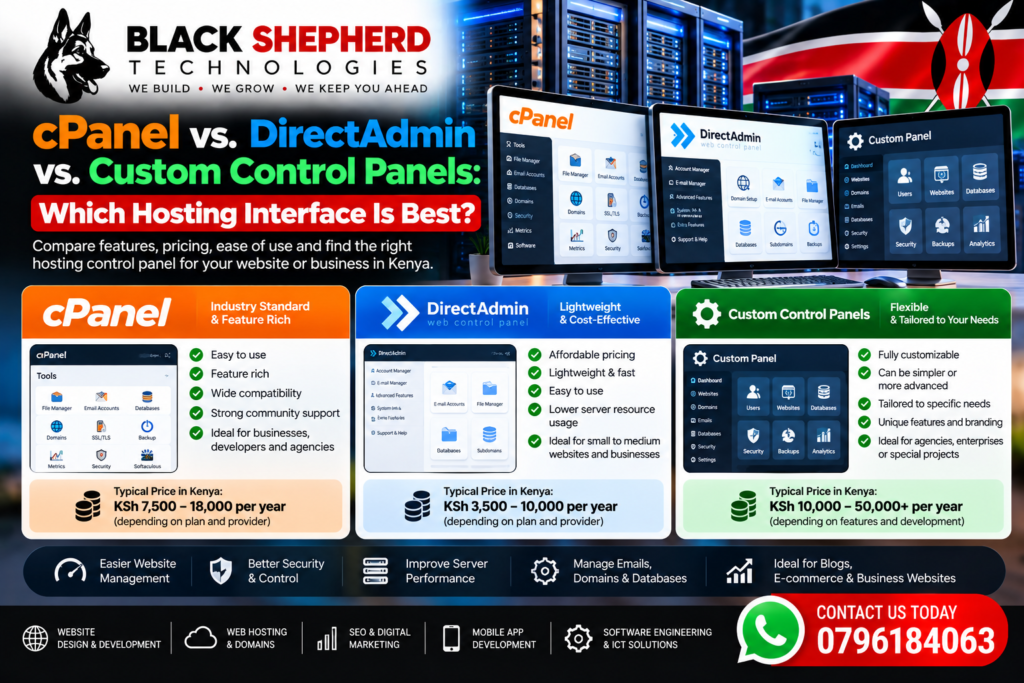
When deploying a website, managing cloud servers, or launching an e-commerce platform, the hosting control panel serves as your operational cockpit. It controls everything from domain name records and email setup to MySQL database configurations, PHP versioning, SSL certificate installations, and server security.
For over two decades, cPanel held an industry monopoly as the standard server management interface. However, aggressive licensing price increases over recent years have shifted the market. Today, lightweight alternatives like DirectAdmin and specialized custom control panels (such as SPanel, RunCloud, or custom host dashboards) are rapidly gaining market share.
In this detailed comparison, we evaluate cPanel, DirectAdmin, and custom control panels across usability, performance impact, licensing costs, and suitability for Kenyan business owners and developers.
1. Fast Overview of the Contenders
Control Panel Comparison Landscape
 ├── cPanel/WHM: Feature-Rich, Industry Standard, High Licensing Costs
 ├── DirectAdmin: Lightweight, Highly Efficient, Predictable Flat Pricing
 └── Custom Panels (SPanel, RunCloud, Host Dashboards): Modern, Cloud-Tuned, Specialized
2. Deep-Dive Feature and Performance Analysis
A. cPanel / WHM (Web Host Manager)
cPanel remains the most recognized web hosting interface in the world. Paired with WHM (which handles root server administration and reseller account provisioning), it provides an all-in-one ecosystem.
-
Pros:
-
Unrivaled Familiarity: Almost every web professional, developer, and site manager understands the cPanel GUI out of the box.
-
Deep Ecosystem: Native integration with tools like Softaculous (400+ 1-click app installers), JetBackup, Imunify360, and the cPanel WordPress Toolkit.
-
Feature Depth: Comprehensive file manager with built-in code editing, DNS zone management, sub-domain routing, and cron job scheduling.
-
-
Cons:
-
High Resource Overhead: cPanel requires a minimum of 2 GB RAM (4 GB recommended) just to run smoothly without website traffic.
-
Escalating Licensing Fees: cPanel enforces per-account pricing tiers ($29.99/mo to $69.99+/mo), drastically inflating monthly costs for agencies and resellers with many small client accounts.
-
B. DirectAdmin
DirectAdmin is a fast, lightweight, and extremely stable control panel built with efficiency as its primary goal. As hosting providers seek alternatives to cPanel’s fee hikes, DirectAdmin has become the top mainstream alternative.
-
Pros:
-
Minimal Resource Footprint: DirectAdmin can run comfortably on servers with as little as 512 MB to 1 GB RAM. This leaves maximum CPU and memory available for handling website traffic, e-commerce orders, and database queries.
-
Predictable, Lower Pricing: Flat-rate licensing options mean you don’t face per-account penalties as your customer list grows.
-
Lightning Fast Load Times: The interface loads almost instantly, even on heavily populated Virtual Private Servers (VPS).
-
-
Cons:
-
Slight Learning Curve: While clean and functional, the layout feels different for users accustomed exclusively to cPanel’s visual icon layout.
-
Simpler File Manager: The built-in file manager covers the essentials but lacks some of cPanel’s advanced code-editing and archive features.
-
C. Custom Control Panels (e.g., SPanel, RunCloud, CloudWays)
Custom control panels are modern interfaces developed either by specialized software companies or proprietary web hosts to bypass traditional licensing costs and deliver cloud-native server management.
-
Pros:
-
Optimized for Modern Web Stacks: Built specifically to manage high-speed web engines like LiteSpeed, Nginx, OpenLiteSpeed, and persistent Redis caching without legacy Apache overhead.
-
Developer & Agency Focused: Includes native Git integration, staging environment cloning, automated SSL deployment, and isolated PHP worker management.
-
No Per-Account Surcharges: Most custom panels offer flat monthly fees regardless of how many domains or databases you create.
-
-
Cons:
-
Vendor Lock-In: Migrating away from a proprietary host-specific panel to a standard cPanel environment can require manual database and file transfers.
-
Fewer Third-Party Plugins: Lacks the massive legacy marketplace of third-party plugins available for cPanel.
-
To align your server control panel selection and hosting infrastructure with search engine visibility, pair your technical setup with professional SEO services in Kenya.
To explore how high-performance, secure web architecture elevates digital execution across various commercial sectors, review the various industries we serve.
3. Direct Comparison Matrix
To inspect real-world examples of secure, high-performing corporate platforms and e-commerce stores hosted on optimized server infrastructure, browse through our portfolios and projects.
4. Which Control Panel Should You Choose?
-
Choose cPanel if: You are non-technical, prefer a familiar interface, rely heavily on legacy tutorials, or operate a traditional shared hosting environment where user simplicity is the top priority.
-
Choose DirectAdmin if: You run a Virtual Private Server (VPS), manage reseller hosting, or want maximum server performance and stability without paying high monthly licensing fees.
-
Choose a Custom Control Panel if: You manage a high-traffic WooCommerce e-commerce site, require custom Nginx/LiteSpeed caching, or prefer a modern web dashboard tuned specifically for cloud infrastructure.
5. Final Thoughts: Performance Over Preference
While cPanel remains a familiar industry standard, the rise of DirectAdmin and custom cloud control panels gives business owners and developers the freedom to prioritize server speed, hardware efficiency, and cost control. Selecting an interface that minimizes server overhead ensures your web applications load faster, process database queries instantly, and deliver optimal user experiences.
Whether you are deciding on a control panel for a new server, migrating an existing platform to a high-speed cloud architecture, or scaling your business with professional SEO services in Kenya, expert technical guidance ensures long-term success. Explore our specialized industries we serve and review our proven track record across portfolios and projects to power your digital presence today.