
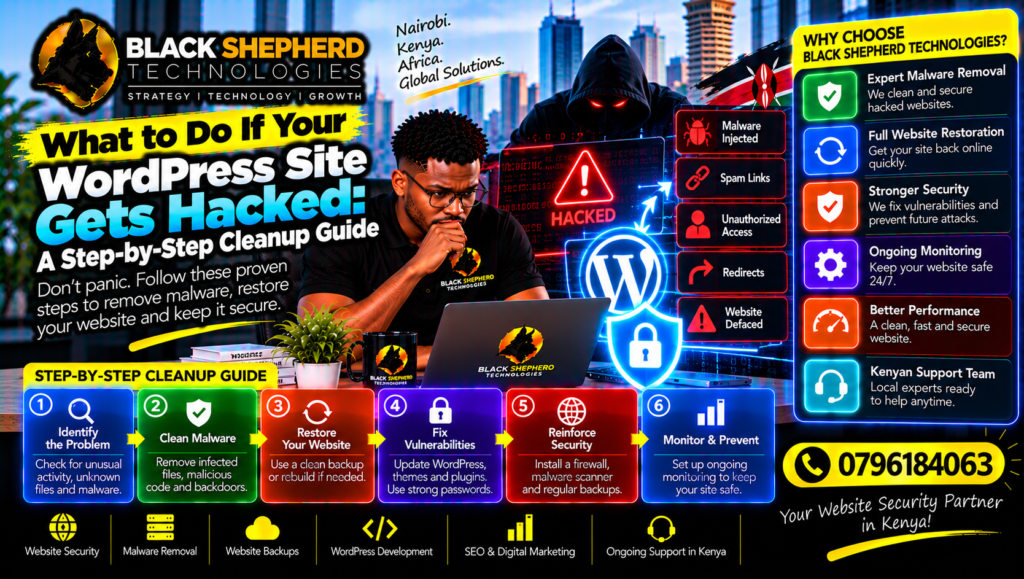
Discovering that your business website has been hacked is every entrepreneur’s nightmare. Whether you log in to find defaced homepage text, strange administrator accounts you never created, browser warnings flagging your domain for malware, or sudden drops in organic traffic, a security breach requires immediate, decisive action.
For businesses operating in Kenya, a hacked website does more than disrupt operations—it shatters customer trust, compromises sensitive user data, and can quickly get your domain blacklisted by Google and major security vendors.
In this comprehensive, step-by-step guide, we walk you through exactly how to respond when your WordPress site is compromised, how to clean up the infection thoroughly, and how to harden your digital infrastructure to prevent future attacks.
1. Immediate Triage: Contain the Damage
When a breach is detected, your first instinct might be to start deleting files or changing passwords randomly. However, moving too fast without a containment strategy can alert hackers or destroy forensic evidence needed to find the entry point.
Emergency Triage Workflow
 [ Detect Breach ] ──► [ Take Site Offline (Maintenance Mode) ] ──► [ Isolate Hosting Account ] ──► [ Full Backup Snapshot ]
Step 1: Put Your Site into Maintenance Mode
If you still have backend access, place your website into maintenance mode immediately. This prevents visitors and prospective customers from landing on compromised pages, downloading malicious redirects, or exposing their data. If you have been locked out of your admin dashboard, your hosting provider can block public traffic at the server level.
Step 2: Isolate Your Hosting Environment
Notify your web hosting provider immediately. Ask them to check server logs and isolate your account if necessary to prevent the malware from spreading to neighboring websites on shared server configurations.
Step 3: Take a Snapshot Backup (As-Is)
Before you begin deleting or altering anything, create a full backup of the infected state. If a cleanup step goes wrong or you need to investigate how the hacker entered your system, having this raw archive is vital.
To ensure your underlying server environment and technical maintenance align with optimal search engine visibility after recovery, pair your cleanup efforts with professional SEO services in Kenya.
To explore how secure, high-performance web architecture elevates digital execution across various commercial sectors, review the various industries we serve.
2. Step-by-Step WordPress Hacked Cleanup Guide
Cleaning a hacked WordPress site requires a systematic approach to ensure no malicious backdoors or hidden script injections are left behind.
Step 1: Scan Your Files with Security Tools
If you can still access your WordPress dashboard, install a reputable security plugin (such as Wordfence, Sucuri, or MalCare) and run a deep system scan. These tools compare your core WordPress files, themes, and plugins against official WordPress repository repositories to flag modified or unknown files.
Step 2: Clean the WordPress Core Files
Hackers frequently modify core WordPress files (like
index.php, wp-login.php, or files within /wp-includes/) to inject malicious code.-
Connect to your server via FTP/SFTP or your hosting control panel file manager.
-
Delete all core WordPress folders (
/wp-admin/and/wp-includes/) along with root PHP files. (Do not touch your/wp-content/folder orwp-config.phpfile yet). -
Download a fresh, clean copy of WordPress from official sources and upload the core directories and root files back to your server.
Step 3: Audit and Clean the /wp-content/ Directory
The
/wp-content/ folder houses your themes, plugins, and uploaded media files—making it a primary target for malware injection.-
Themes and Plugins: Delete all inactive plugins and themes. For active ones, completely delete them and reinstall fresh, official copies from the developer directory or your purchase archives rather than overwriting them. Never use “nulled” or cracked premium themes and plugins, as these are vector #1 for hidden backdoors.
-
Media Uploads: Inspect your
/wp-content/uploads/directory for suspicious PHP files disguised as images (e.g.,image.php.jpg). Hackers often hide executable scripts inside upload folders.
Step 4: Secure Your Database
Hackers often insert malicious spam links, SEO injection text, or rogue administrator accounts directly into your MySQL database tables (
wp_users, wp_options, wp_posts).-
Log into phpMyAdmin via your hosting control panel.
-
Inspect the
wp_userstable and delete any administrator accounts you do not recognize. -
Review posts and pages for injected spam content or hidden JavaScript redirects.
Step 5: Reset All Passwords and Security Keys
Once the files and database are cleaned, you must sever the hacker’s access channels immediately:
-
Force a password reset for all WordPress users, especially administrators.
-
Reset your hosting control panel password (cPanel/DirectAdmin).
-
Update your FTP/SFTP and database access passwords.
-
Regenerate your WordPress Salt Keys located in
wp-config.php. This invalidates all existing active browser cookies and session tokens across the entire site.
To inspect real-world examples of secure, high-performing corporate platforms and e-commerce stores built for Kenyan businesses, browse through our portfolios and projects.
3. Post-Cleanup: Rebuilding Search Trust and Reputation
Cleaning the code is only half the battle. If Google or security vendors flagged your site during the breach, you must clear your digital reputation.
| Post-Cleanup Action | Description | Why It Matters |
| Submit to Google Search Console | Request a manual review in Google Search Console once malware is completely removed. | Removes the dreaded “This site may be hacked” warning from search results. |
| Check Blacklist Status | Run your domain through tools like VirusTotal or MXToolbox to verify email/IP blacklists. | Ensures your transactional emails (order receipts, passwords) stop landing in spam folders. |
| Implement a Web Application Firewall (WAF) | Route your domain through a robust WAF like Cloudflare. | Blocks future injection attempts, botnets, and brute-force attacks at the edge. |
4. Final Thoughts: Hardening Your Site for the Future
Recovering from a hack is a stressful experience, but it serves as a powerful reminder of the importance of digital hygiene. Moving forward, protect your business by maintaining automated offsite backups, keeping your software stack updated, enforcing strong authentication standards, and choosing high-performance, secure hosting environments.
Whether you are looking to audit a compromised website, migrate to a secure hosting architecture, or accelerate your recovery with professional SEO services in Kenya, expert guidance makes all the difference. Explore our specialized industries we serve and inspect our proven track record across portfolios and projects to secure your digital growth.