
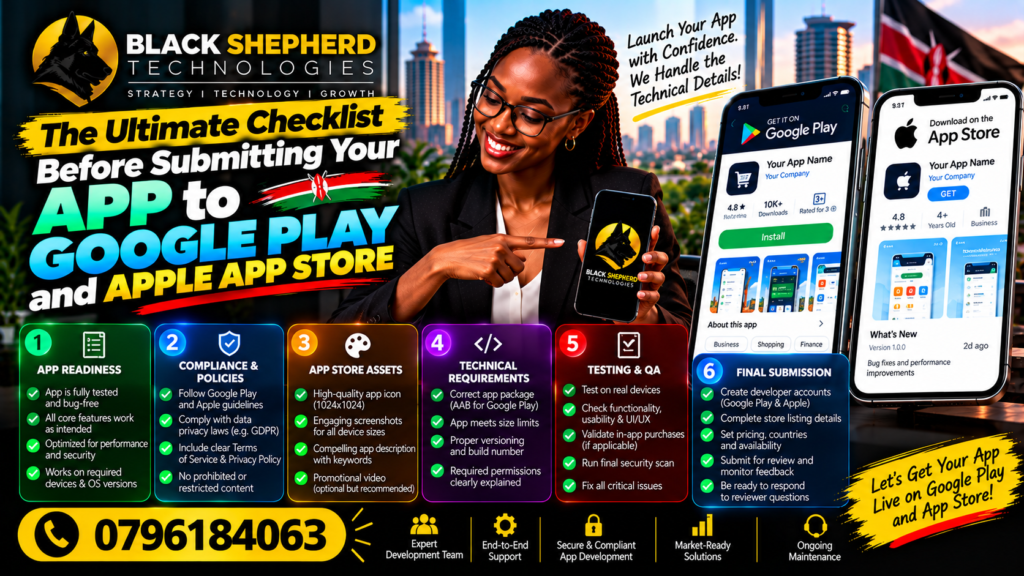
Launching a mobile application is one of the most thrilling milestones for any startup, enterprise, or digital agency. You have spent months—perhaps even years—brainstorming, wireframing, coding, designing, and testing. Your codebase is clean, your user interface (UI) is polished, and your user experience (UX) flows seamlessly. You are ready to hit the “Publish” button and introduce your solution to the world.
However, before your application goes live on the Google Play Store or the Apple App Store, there is a critical gatekeeper standing between you and your users: the app store review team.
Both Apple and Google have notoriously rigorous, multi-layered review processes. A single missing metadata field, a broken permission request, an unoptimized icon, or a minor policy infraction can lead to instant rejection. For growing digital ecosystems—such as the booming tech hubs across Africa, where mobile-first solutions drive financial inclusion, logistics, and e-commerce—app store rejections can stall momentum, waste valuable capital, and delay crucial go-to-market strategies.
To ensure your app sails through the review process on the first attempt, you need a bulletproof, comprehensive strategy. This ultimate checklist covers everything from technical configurations and legal compliance to App Store Optimization (ASO) and post-launch readiness.
Part 1: Technical & Performance Prerequisites
Before you even touch the store dashboards, your app must be technically sound, stable, and optimized for a diverse range of hardware and software environments.
1. Build and Bundle Optimization
- Android App Bundles (AAB): Google Play strictly requires publishing with Android App Bundles rather than APKs. AABs allow Google Play to generate and serve optimized APKs tailored to each user’s device configuration.
- iOS Architecture: Ensure your iOS binary supports 64-bit architecture and complies with modern iOS SDK requirements (typically targeting the latest iOS SDK version released by Apple).
- App Size Optimization: Keep your app size as lean as possible. Heavy apps suffer from lower download conversion rates, especially in regions with high mobile data costs. Compress assets, remove dead code, and implement on-demand resource loading where applicable.
2. Comprehensive Device and OS Testing
- Fragmentation Testing (Android): Test your Android app across various screen sizes, aspect ratios, and Android OS versions (from current versions down to your minimum supported SDK). Pay special attention to budget devices and custom manufacturer skins (like Samsung One UI or Xiaomi MIUI).
- Device Testing (iOS): Verify your app’s performance across multiple iPhone models (including notch/Dynamic Island layouts) and iPad screen orientations if universal support is enabled.
- Network Throttling: Test how your app behaves under poor network conditions (e.g., 3G, fluctuating 4G, or high latency). Implement graceful degradation, offline caching, and clear retry mechanisms for API requests.
3. Crash-Free Metrics and Bug Sweeps
- Zero Critical Bugs: Conduct exhaustive exploratory and regression testing. Resolve all memory leaks, UI overflows, unresponsive buttons, and unhandled exceptions.
- Crash Reporting Tools: Integrate stability monitoring SDKs such as Firebase Crashlytics or Sentry. Verify that test crashes are successfully logged and tracked in your developer dashboard.
Part 2: Security, Privacy, and Data Compliance
In an era of stringent data privacy regulations, app stores take user data security more seriously than ever. Non-compliance is the fastest route to an indefinite rejection.
1. Privacy Policy and Terms of Service
- Mandatory URL: Both Apple and Google require a publicly accessible URL for your Privacy Policy. This policy must explicitly state what data you collect, how you use it, who you share it with, and how users can request data deletion.
- In-App Account Deletion: Apple strictly enforces a policy requiring apps that support account creation to also allow users to initiate account deletion from within the app, alongside web-based options.
2. Permissions and Purpose Strings
- Just-in-Time Permissions: Never request sensitive permissions (Camera, Location, Microphone, Contacts, Bluetooth) upon initial app launch. Request them contextually only when the user interacts with a feature requiring that permission.
- Clear Usage Descriptions: For iOS, ensure your
Info.plistfile contains clear, human-readable usage descriptions explaining why you need access to specific hardware or data. Vague strings like “Access needed” will cause immediate rejection.
3. Data Safety and Privacy Nutrition Labels
- Google Play Data Safety Form: Accurately declare all data collection practices, encryption standards, and sharing policies in the Google Play Console Data Safety section. Discrepancies between your app’s behavior and your declaration will lead to warnings or removal.
- Apple Privacy Nutrition Labels: Complete the App Privacy section in App Store Connect detailing data linked to the user versus data used to track them.
Part 3: Account, Legal, and Metadata Readiness
Your developer account configuration and store listing metadata form the first impression for both the review team and potential users.
1. Developer Account Setup
- Account Type: Ensure you are registered under the correct account type. Organizations and corporate entities should register as an “Organization” account using a D-U-N-S number (for Apple) or verified organizational details (for Google) rather than a personal account, to avoid app transfer headaches and trust issues.
- Banking and Tax Information: Complete all tax forms, banking details, and payout profiles in advance. If your app utilizes in-app purchases (IAP) or paid downloads, verification can take several days.
2. App Store Optimization (ASO) Metadata
- App Title and Subtitle: Craft compelling, keyword-rich titles and subtitles that clearly communicate your app’s core value proposition without keyword stuffing.
- Keywords (iOS): Utilize Apple’s 100-character keyword field effectively by separating keywords with commas (no spaces needed) and avoiding redundant words already present in your title.
- Detailed Descriptions: Write benefit-driven descriptions detailing features, use cases, and support information. For localized markets, provide professionally translated descriptions.
3. Visual Assets and Media
- App Icons: Ensure your icons adhere strictly to platform guidelines (no rounded corners for iOS; Apple applies them automatically; proper vector assets and adaptive icons for Android).
- Screenshots and Previews: Provide high-resolution screenshots highlighting core features, user interfaces, and value propositions across all required device form factors. Avoid clutter and ensure typography is legible even on smaller mobile screens.
Part 4: Monetization and Commerce Compliance
Monetizing your mobile application requires strict adherence to store payment policies. Violating these guidelines is one of the most common reasons apps face rejection.
1. In-App Purchases (IAP) and Subscriptions
- Platform Billing Systems: If your app sells digital goods, services, content, or subscriptions within the app, you must use Apple’s In-App Purchase system or Google Play Billing. Bypassing these systems with external payment gateways for digital content is strictly prohibited.
- Restore Purchases: iOS apps offering subscriptions or non-consumable items must include a clearly visible “Restore Purchases” button in the UI.
- Subscription Terms: Clearly display pricing, billing cycles, cancellation terms, and links to your Terms of Use and Privacy Policy directly on the subscription purchase screen.
2. Physical Goods and Services Exception
- If your app sells physical goods (e.g., e-commerce stores, food delivery, ride-hailing services like Uber or regional African logistics apps), you are permitted to use third-party payment gateways (such as Flutterwave, Paystack, Stripe, or local mobile money APIs) rather than in-app purchase systems. Ensure your payment flows are secure, PCI-DSS compliant, and functioning smoothly.
Part 5: Submission & Post-Launch Strategy
Once your checklist is complete, you are ready to submit. However, the journey does not end when you click submit.
1. Reviewer Notes and Test Accounts
- Provide Credentials: If your app requires user authentication (login/signup), you must provide active, working demo account credentials (username and password) in the App Review Information or Google Play notes section. If reviewers hit a login wall with no way to enter, your app will be rejected instantly.
- Explain Complex Features: Use the reviewer notes section to guide testers through unique features, paywalls, hardware dependencies, or geolocation-restricted content.
2. Phased Rollouts and Monitoring
- Staged Rollouts: Utilize staged rollouts on Google Play (e.g., 5%, 20%, 50%, 100%) and phased releases on the App Store (e.g., 1% over 7 days) to monitor performance, catch unforeseen bugs, and observe crash rates with a small subset of users before full global availability.
- Handling Rejections Gracefully: If your app is rejected, do not panic. Read the reviewer’s message carefully, address the specific policy violation or bug cited, communicate politely via the Resolution Center if clarification is needed, and resubmit.
Conclusion
Submitting an app to Google Play and the Apple App Store is both a technical hurdle and a strategic milestone. By methodically verifying your build performance, safeguarding user privacy, optimizing your store listing, complying with monetization rules, and preparing your review notes, you drastically increase your chances of a smooth, first-time approval.
Whether you are launching a fintech disruptor, an e-commerce platform, or an enterprise productivity tool, taking the time to complete this ultimate checklist ensures your mobile application makes a stellar first impression on app store reviewers and your target audience alike.